
How to Get a YouTube Shorts Transcript
Shorts usually hide the transcript button. Two ways to get a YouTube Shorts transcript: open the Short in the regular player, or paste the link to get the text.
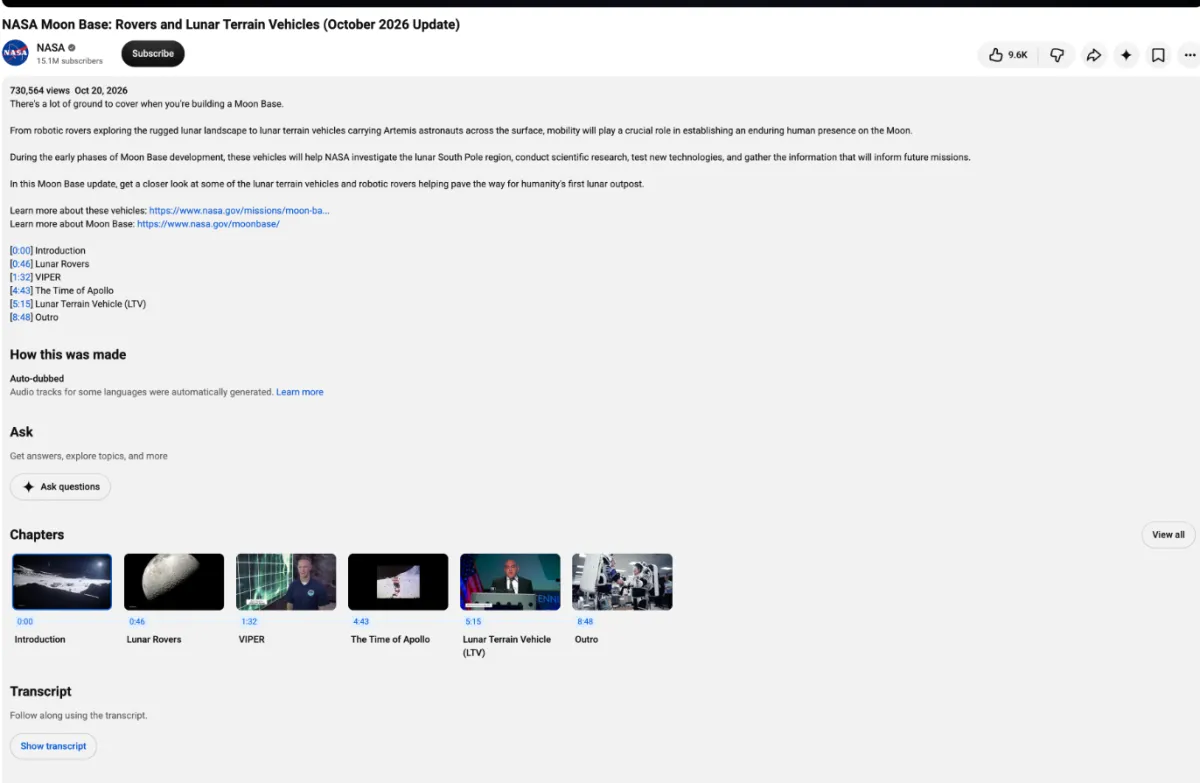
A YouTube Shorts transcript is hidden, not missing: the Shorts player has no Show transcript button, but every Short is also an ordinary YouTube video. Open it in the regular player and the button is back.
Open the Short in the regular player
In a browser on your computer, change one part of the address:
youtube.com/shorts/VIDEO_ID
youtube.com/watch?v=VIDEO_ID
- 1
Change the address
Replace shorts/ with watch?v= and press Enter.
- 2
Open the transcript
Click ...more under the video, then Show transcript.
- 3
Copy the text
Select the lines in the panel beside the video and copy them.
On some Shorts, the three-dot menu in the Shorts player offers Show transcript directly, so check there first.
On a phone
The YouTube app always opens Shorts in the Shorts player, so do it in your phone's browser instead:
- In the YouTube app, tap Share, then Copy link.
- Paste the link into Chrome or Safari and open it.
- Switch to the desktop site: in Chrome, open the ⋮ menu and tick Desktop site; in Safari, tap aA and choose Request Desktop Website.
- Change
shorts/towatch?v=in the address, as above, and open Show transcript.
It works, but the desktop page is small and fiddly on a phone screen, and selecting the text takes patience.
When it doesn't work
- No captions. If the creator added none and YouTube couldn't generate them, there's still no button in the regular player. YouTube says automatic captions fail on unsupported languages, poor sound or overlapping voices.
- No punctuation. YouTube's automatic captions come out as a stream of lowercase words. The panel's language menu marks them as auto-generated.
Why so many Shorts have words printed on the video
It's one of the most asked Shorts questions on Reddit. A lot of people scroll with the sound off, so creators add big on-screen text in their editing app to keep muted viewers watching. That text is part of the picture, not a caption track: YouTube's transcript panel doesn't include it, and you can't select or copy it. If the words you want are only on screen, not spoken, a transcript won't contain them.
Why it's worth the trouble
A Short wins or loses viewers in its first three seconds, and a timestamped transcript shows exactly what was said in them. It's the quickest way to study someone else's hooks; for ten worked examples, see TikTok script examples.
For regular videos, see how to get a YouTube video transcript.
Sources: YouTube Help: Use automatic captioning.