
How to Get a YouTube Video Transcript
Get a YouTube video transcript with YouTube's own Show transcript panel on desktop or phone, or as a TXT, SRT or VTT file in seconds. Step by step, with limits.
The quickest way to get a YouTube video transcript is YouTube's own Show transcript panel. It's built from the video's captions, so it works whenever a video has them, and it tells you which kind of captions you're reading.
On a computer
- 1
Expand the description
Under the video, click ...more.
- 2
Open the transcript
Scroll to the end of the description and click Show transcript.
- 3
Copy the text
Turn timestamps off in the panel's three-dot menu, then select and copy.
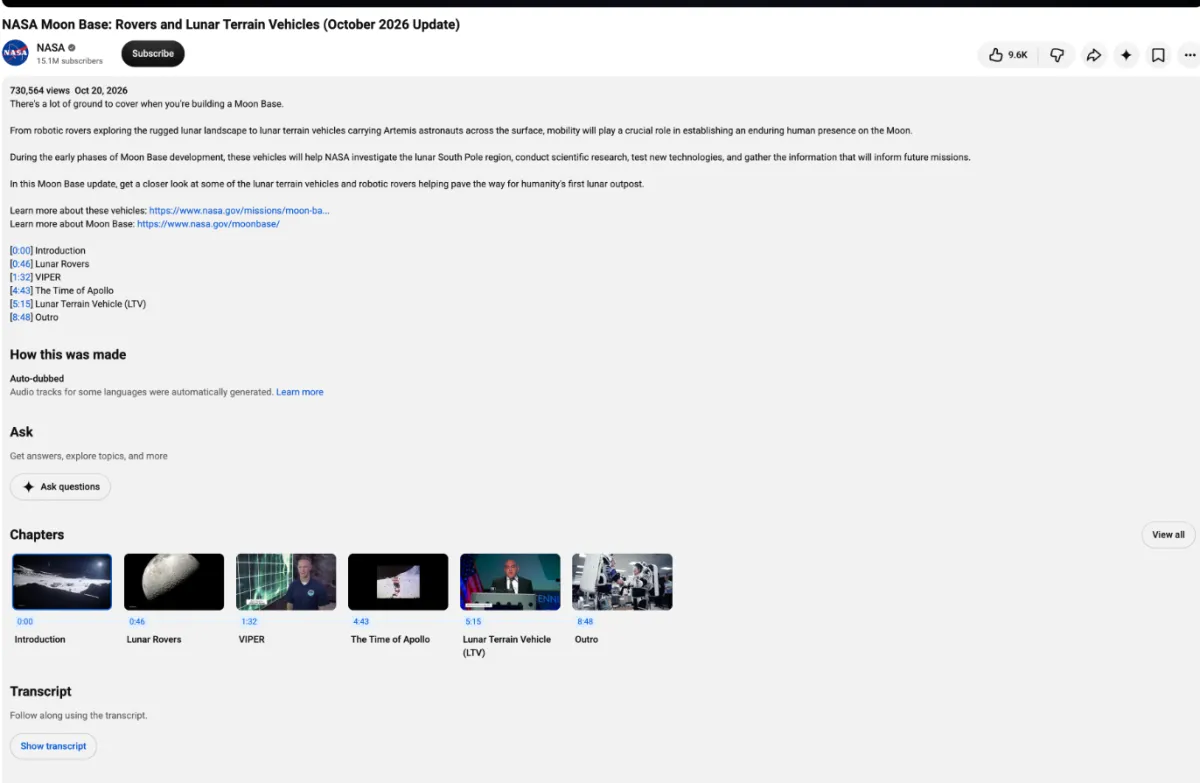
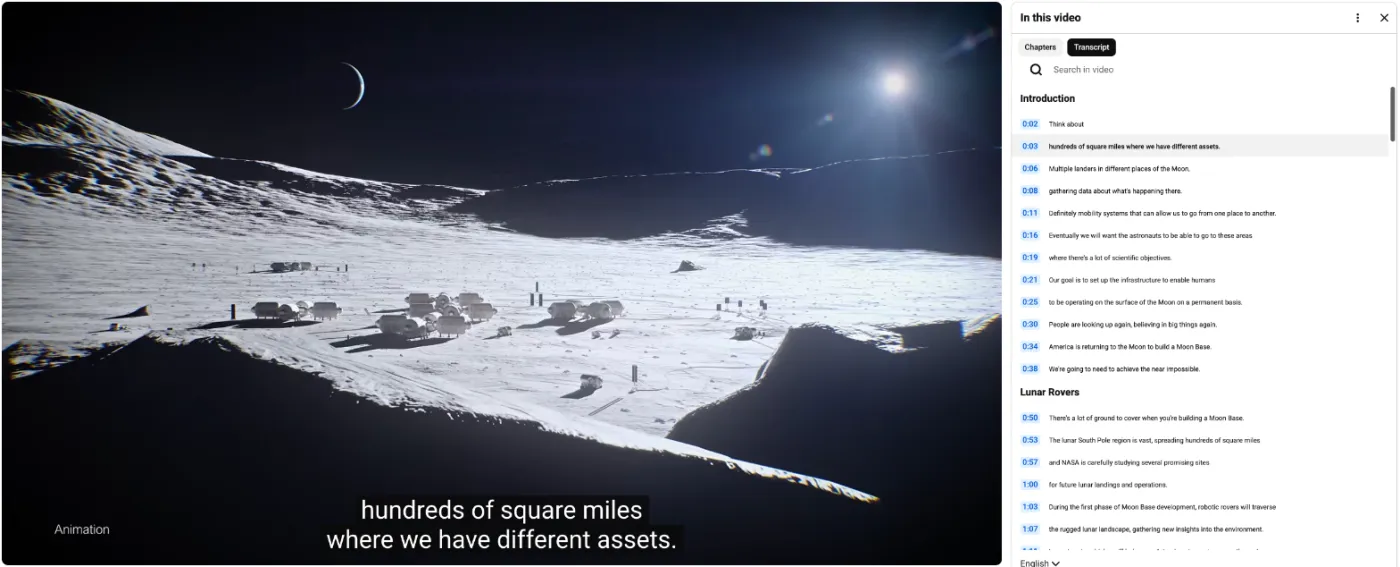
The panel opens beside the video, one timestamped line at a time; click a line to jump to that moment. If the video has captions in several languages, switch at the bottom of the panel.
On a phone
In the YouTube app, tap the title or ...more, then Show transcript. It opens below the video, but the app rarely lets you select the whole transcript at once. If you need the full text on a phone, open the video in your browser and switch it to the desktop site.
Creator captions or automatic captions?
The language menu at the bottom of the panel tells you what you're reading. A track marked auto-generated is YouTube's speech recognition; one without the label was uploaded by the creator.
The difference shows up as soon as you paste the text somewhere. Creator captions usually have punctuation, capital letters and correct names, because someone wrote or checked them. Automatic captions tend to arrive as one long run of lowercase words, and they're weakest on names, brand terms and fast or overlapping speech. If a video has both, pick the creator track.
Questions people ask about YouTube transcripts
These come up again and again on Reddit's YouTube and question forums.
Why does the transcript say [ __ ] instead of a word? By default, YouTube replaces words it considers potentially inappropriate with [ __ ] in automatic captions, and the transcript copies them as they are. Creators can switch this off in YouTube Studio; captions the creator wrote or edited aren't affected.
Why did it get a name completely wrong? Automatic captions guess from sound alone, so names, brands and rare words are where they slip most. Check any name you plan to quote against the video.
Why are captions in another language, or on when I didn't turn them on? Open the gear icon on the player, then Subtitles/CC, and pick the track you want; the same menu can auto-translate captions into other languages. To change the default for every video, click your profile picture, then Settings → Playback and performance, and set Always show captions and Include auto-generated captions.
Why a video has no transcript
The Show transcript button only appears when there are captions to show. It's missing when:
- The creator didn't add captions and YouTube couldn't make them. YouTube's help center says automatic captions fail when the language isn't supported, the sound quality is poor, or several people talk over each other.
- The creator turned captions off for the video.
- It's a live stream with ultra-low latency. YouTube only generates live automatic captions for normal-latency streams.
- It's a Short. The Shorts player hides the button; see the YouTube Shorts transcript guide.
- It's private. Nobody without access can read it, with any method.
If the video is on your own channel, YouTube Studio's Subtitles section lets you review the captions and download the file.
Sources: YouTube Help: Use automatic captioning · YouTube Help: Manage subtitle settings.